
This section explains how administrators manage user withdrawal requests from the Transfer Fund Requests page.
Navigation path: Admin Panel → eWallet → Transfer Fund Requests.
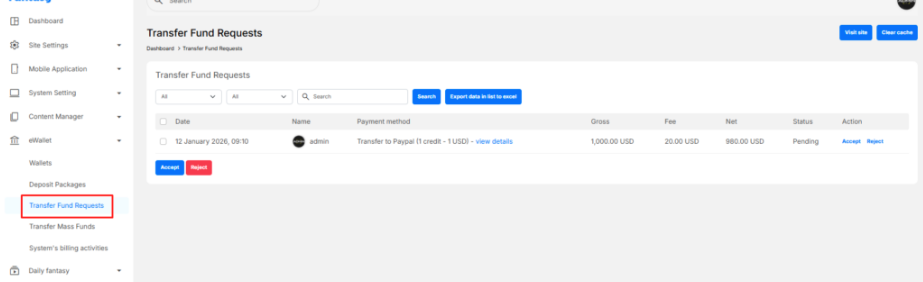
Review and Process Requests #
- Accept
- Confirms the withdrawal and marks the request as approved.
- The admin should complete the transfer externally (PayPal or bank).
- Reject
- Declines the request.
- Follow your site policy for refunds or adjustments if applicable.
Bulk Actions #
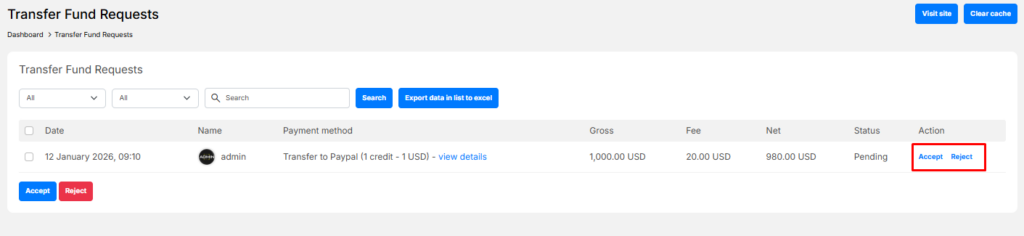
- Select multiple requests using the checkboxes.
- Use Accept or Reject buttons to process them in bulk.
Search and Export #
- Use filters and the search box to find specific requests.
- Click Export data in list to Excel to download withdrawal records for reporting or accounting.
Status Tracking #
Each request shows a clear status:
- Pending – Waiting for admin review
- Accepted – Approved and processed
- Rejected – Declined by admin


