Table of Contents
Teams are managed at the League level.
Before creating teams, make sure the Sport and League have already been created.
Create a Team #
Teams are managed at the League level.
Before creating teams, make sure the Sport and League have already been created.
Navigate to Dashboard > Fantasy Engine > Sports > Manage Leagues > Manage Teams > Create New
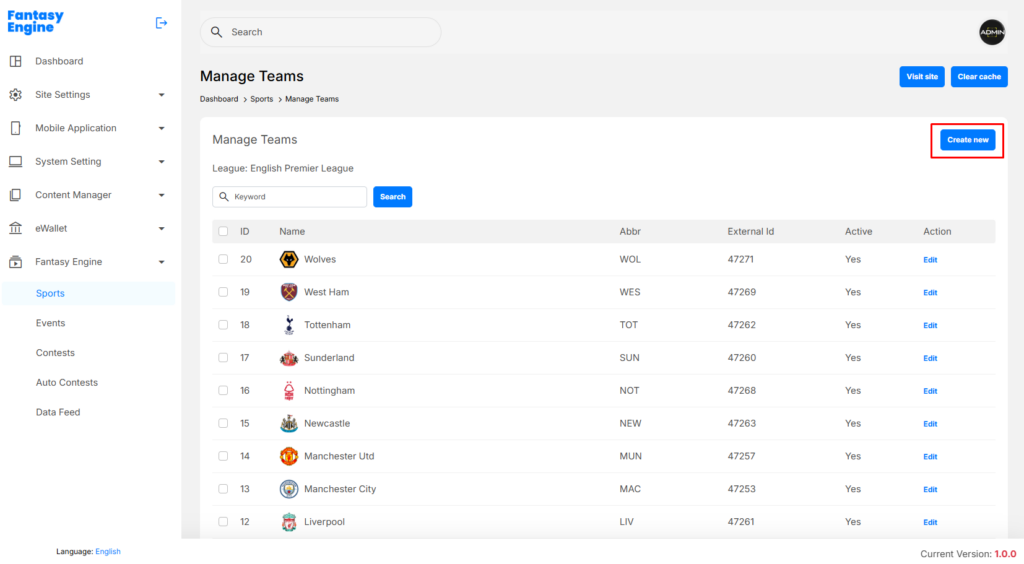
- Click Create New
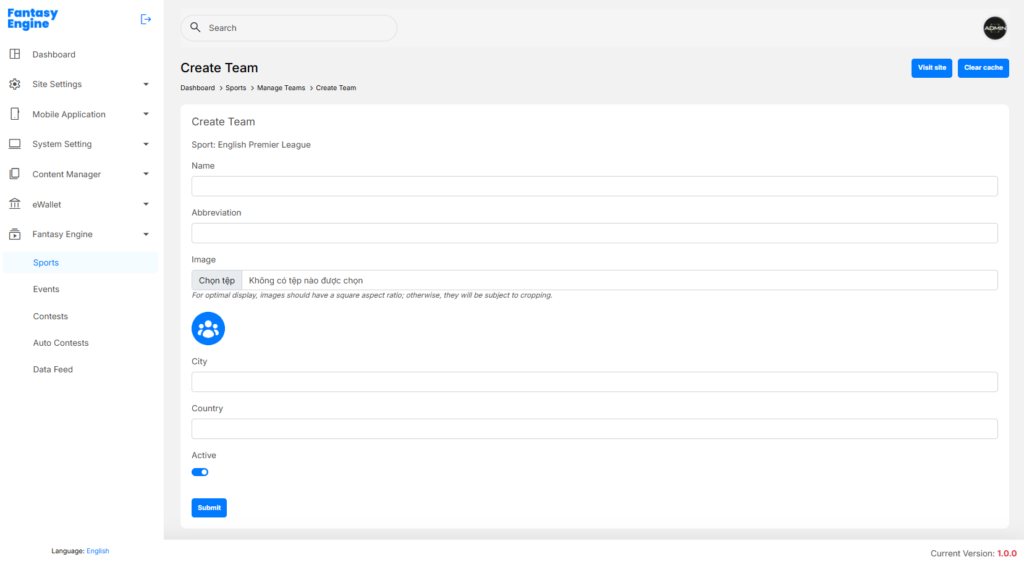
- Enter the following information:
- Name: Full team name (e.g. Manchester United)
- Abbreviation: Short team name (e.g. MUN)
- Image: Team logo
- Recommended ratio: 1:1 (square)
- City: Team’s home city (optional)
- Country: Team’s country (optional)
- Active:Enable to make the team available in contests
- Click Submit
✅ The team will appear in the Manage Teams list.
Edit a Team #
To update team information:
- Go to Manage Teams
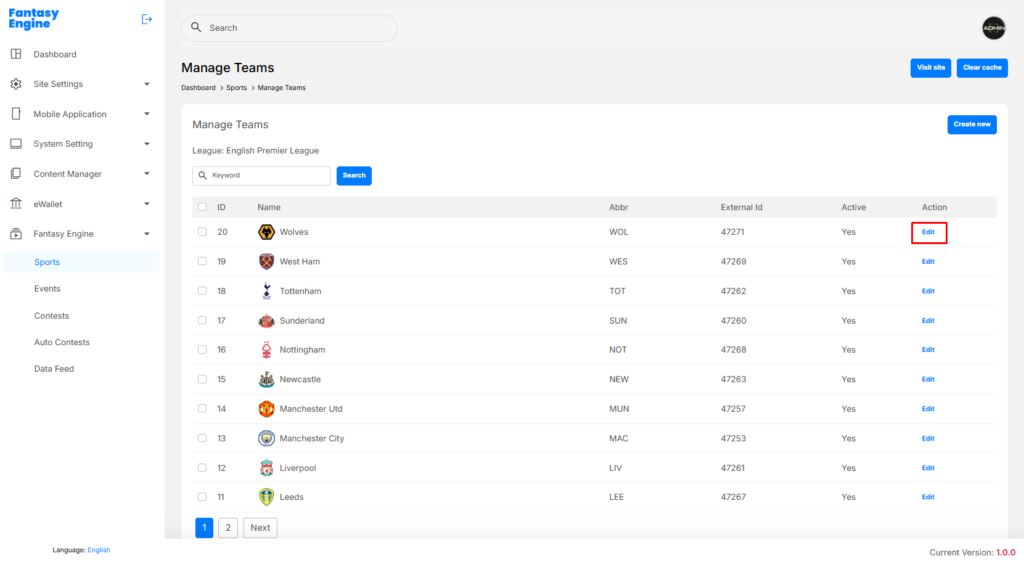
- Click Edit in the Action column
- Update the required fields
- Click Submit to save changes