
Table of Contents
Create a Sport #
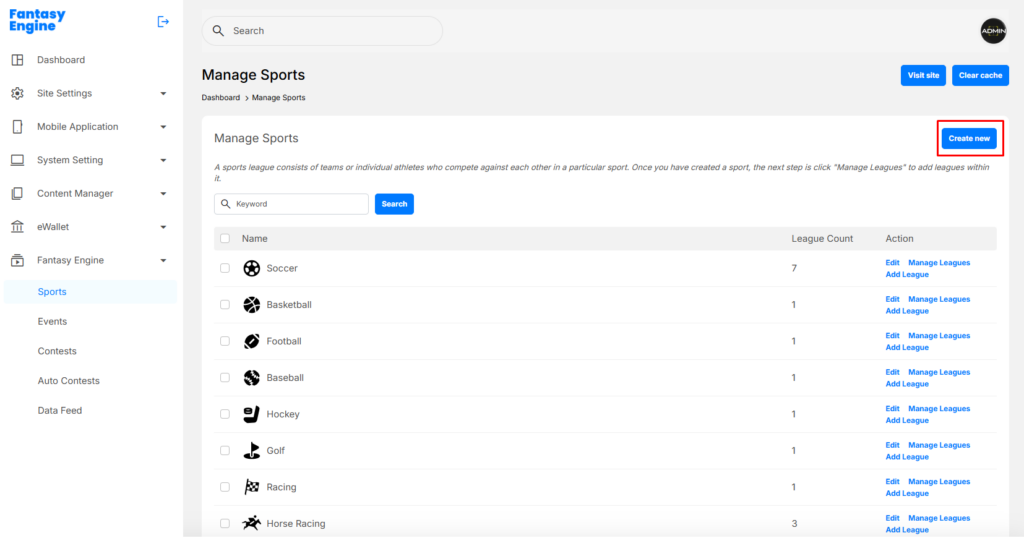
Before creating any League, a Sport must be created first.
Navigate to Dashboard > Fantasy Engine > Sports > Create Sport
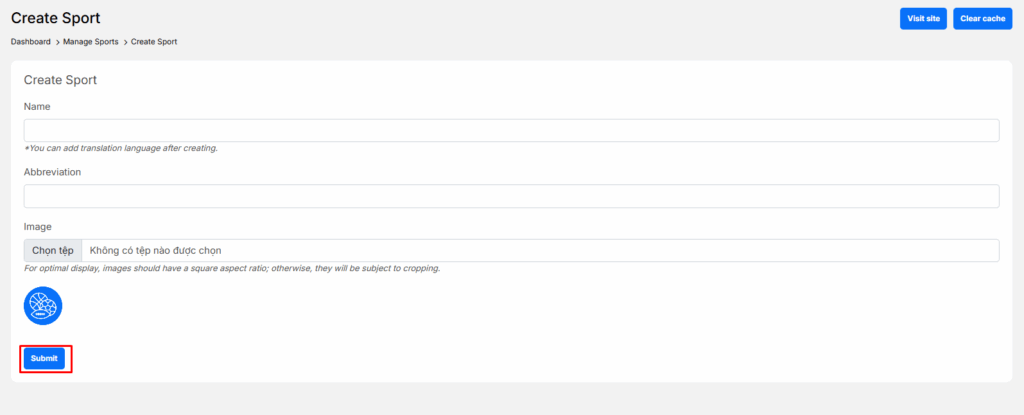
Fill in the required fields:
- Name: Full name of the sport (e.g. Soccer, Basketball)
- Abbreviation: Short name
- Image: Upload a sport icon or logo
- Recommended ratio: 1:1 (square)
- Click Submit
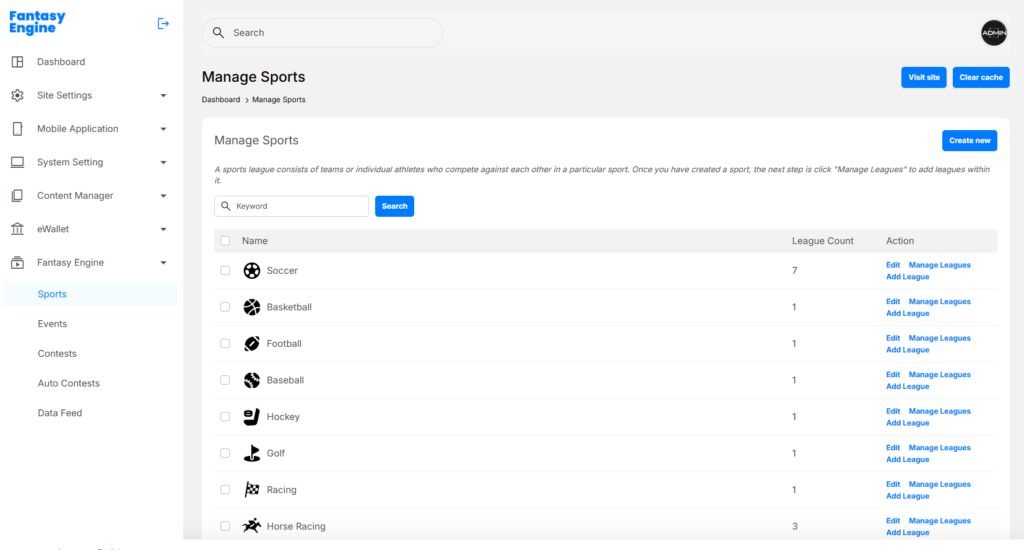
✅ The sport will appear in the Manage Sports list.
Manage Sports #
The Manage Sports page displays all existing sports and the number of leagues under each sport.
For each sport, Admin users can:
- Edit sport information
- Manage Leagues
- Add League
- View League Count
Add a League to a Sport #
Once a sport is created, you can add one or more Leagues under it.
Navigate to Dashboard > Fantasy Engine > Sports > Add League
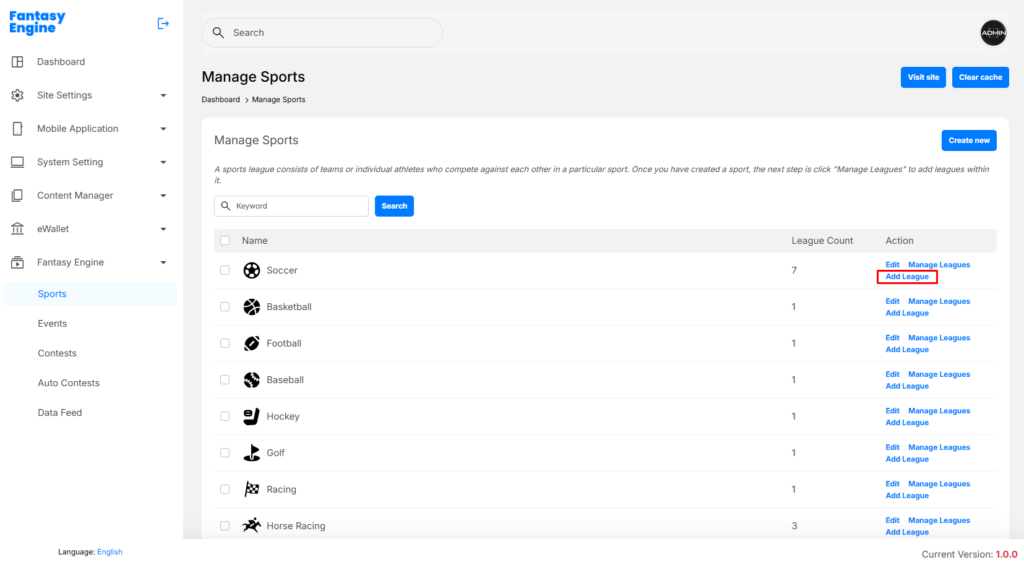
or Dashboard > Fantasy Engine > Sports > Manage Leagues > Create New
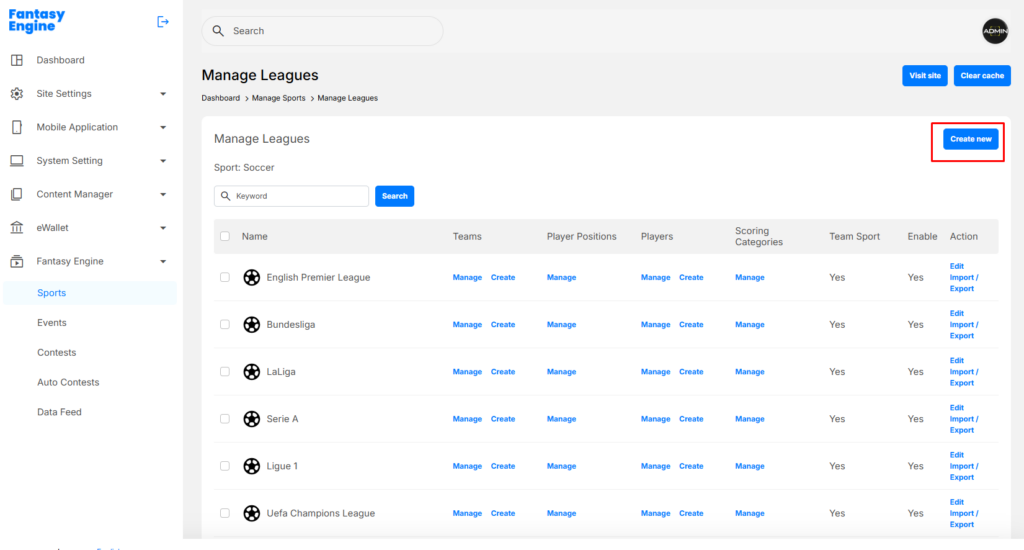
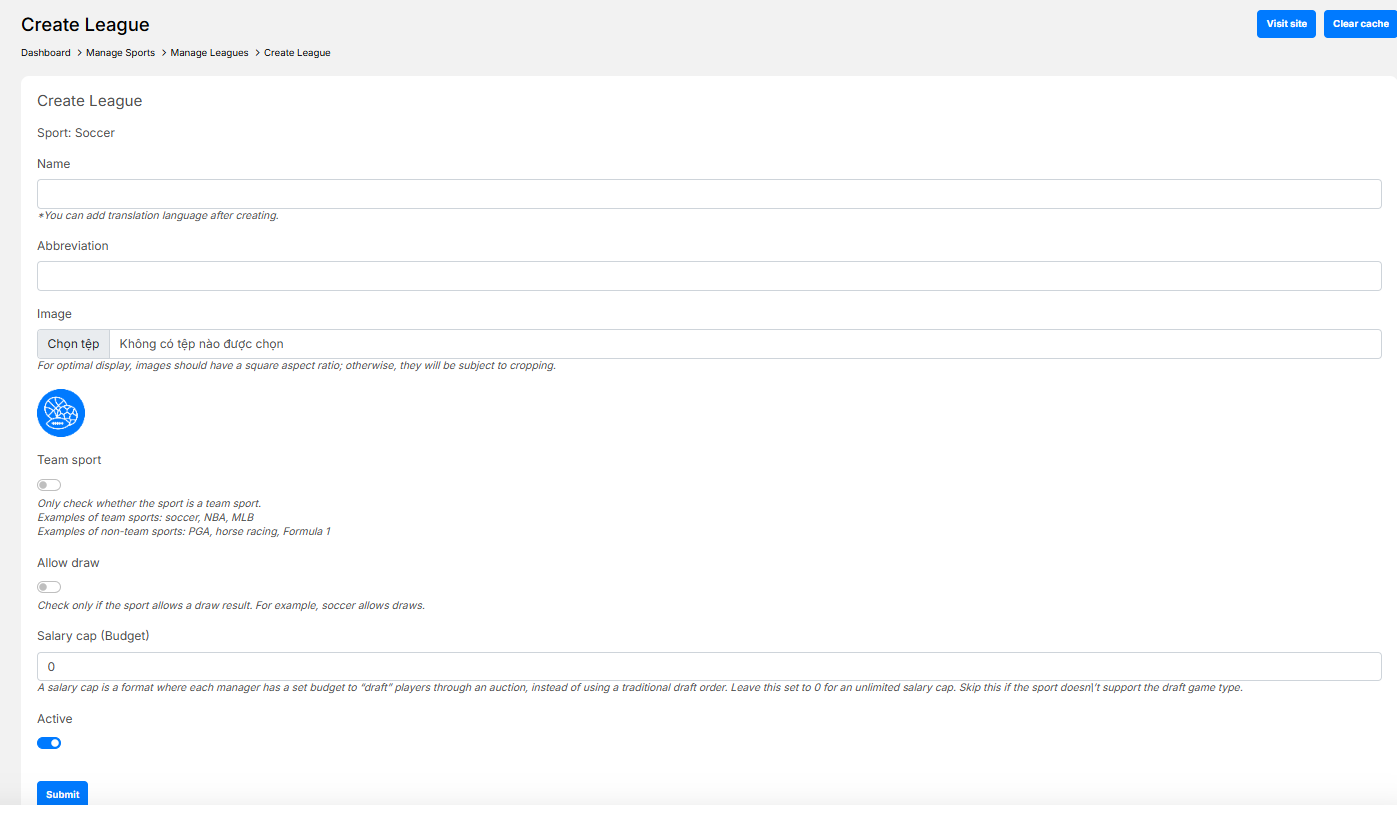
Enter the following information:
- Name: League name (e.g. English Premier League)
- Abbreviation: Short name (e.g. EPL)
- Image: League logo (square recommended)
- Team Sport:
- Enable for team-based sports (Soccer, NBA)
- Allow Draw:
- Enable only if the sport allows draw results
- Salary Cap (Budget):
- Set budget for auction-style contests
- Set to
0for unlimited budget
- Active:
- Enable to make the League available
- Click Submit
Manage Leagues #
The Manage Leagues page allows Admins to configure all leagues under a specific sport.
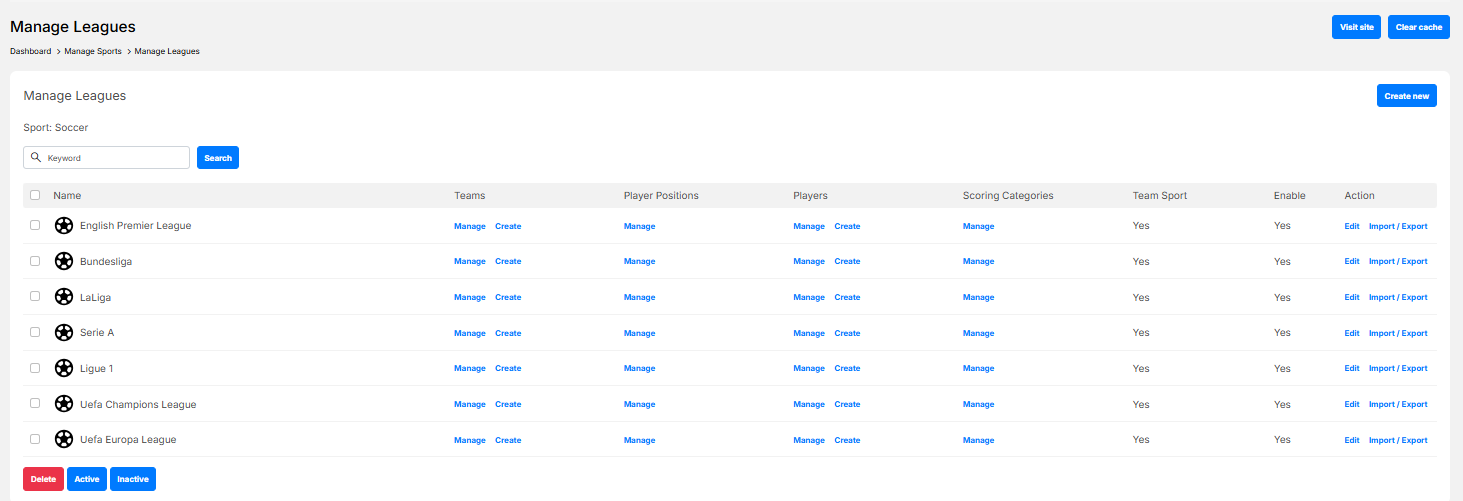
For each League, Admin users can:
- Edit League details
- Manage Teams
- Manage Player Positions
- Manage Players
- Manage Scoring Categories
- Import / Export League data
- Enable or disable the League


