Table of Contents
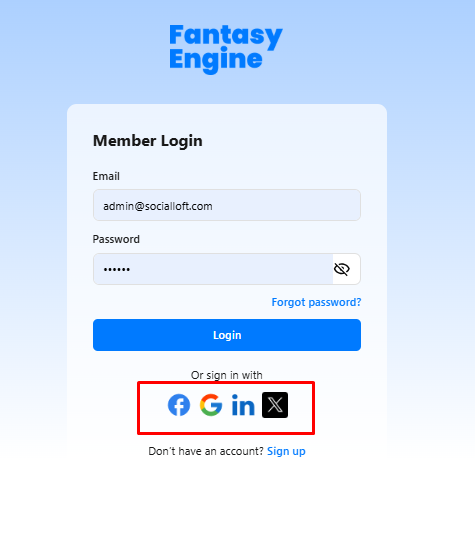
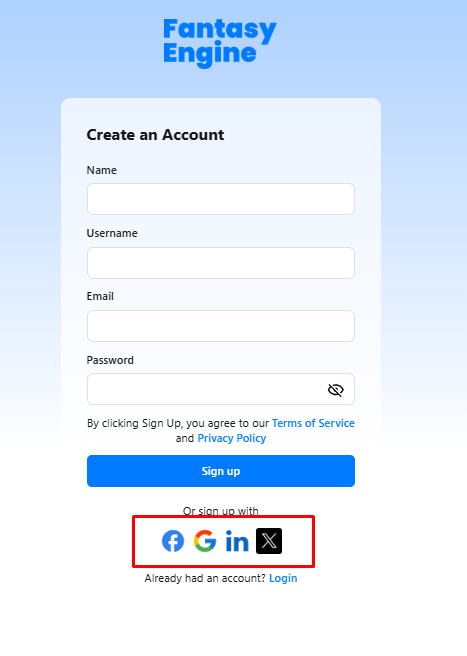
Fantasy Engine allows users to quickly create an account or log in using supported social platforms, making the process faster and more convenient.
Supported Social Login Providers #
Users can sign up or log in using the following social accounts:
- X (Twitter)

Sign Up with a Social Account #
- Open the Sign Up page.
- Click on one of the social icons (Facebook, Google, LinkedIn, or X).
- You will be redirected to the selected provider’s authentication page.
- Log in and grant permission to share basic account information.
- Once verified, your Fantasy Engine account will be created automatically.
- You will be logged in and redirected to the platform.
No additional password setup is required when signing up via a social account.
Log In with a Social Account #
- Open the Login page.
- Click on the social icon corresponding to the account you used during sign up.
- Authenticate with the selected social provider.
- You will be logged in and redirected to your dashboard.