e-Wallet is an internal digital wallet integrated into the social network platform. It enables users to manage their balance by adding funds, transferring funds, withdrawing funds, and making payments for services.
This guide explains the core features of the e-Wallet.

How to Deposit Funds into Your Wallet #
Click on “Add fund” in the left panel of the site to start Deposit Funds into your eWallet

System will redirect you to e-Wallet home page. At this page you can click on “Add funds” button to open form to deposit money from Paypal or Stripe to your eWallet. You can integrate more online payment gateways if you need.
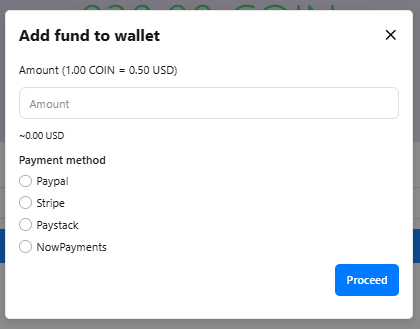
You can enter the amount in USD (this currency will be configured in admin panel) or select the existing packages that define by admin in admin panel
Select Paypal or Stripe then go thru all steps to finish the payment process. Then go back to eWallet home page to check your new balance and transaction history.
How to Withdraw Funds from the e-Wallet #
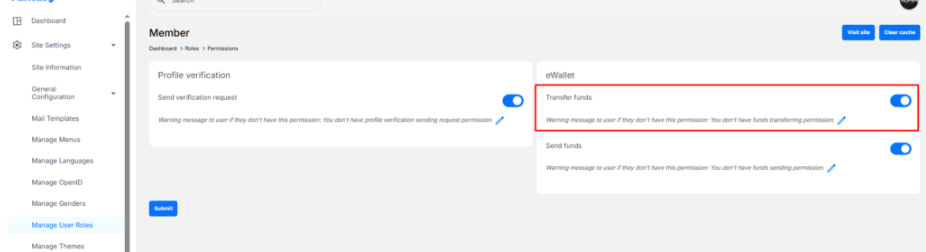
If you have balance in your account, you can send a request to the admin to cash out. As admin, you can configure “roles settings” to control who is allowed to perform funds transfer.
Withdrawal requests will be reviewed by an administrator and processed outside the system based on the PayPal or bank information you provide.
Go to Wallet -> Click on “Withdraw” button
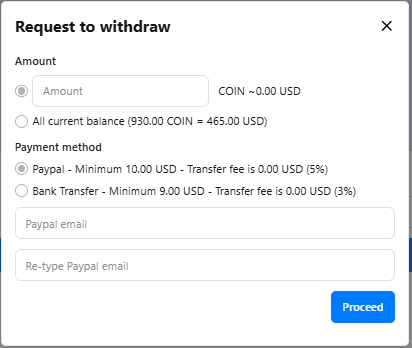
Enter the amount you want to withdraw and select a payment method, as shown in the screenshot above. Then click Submit Request.
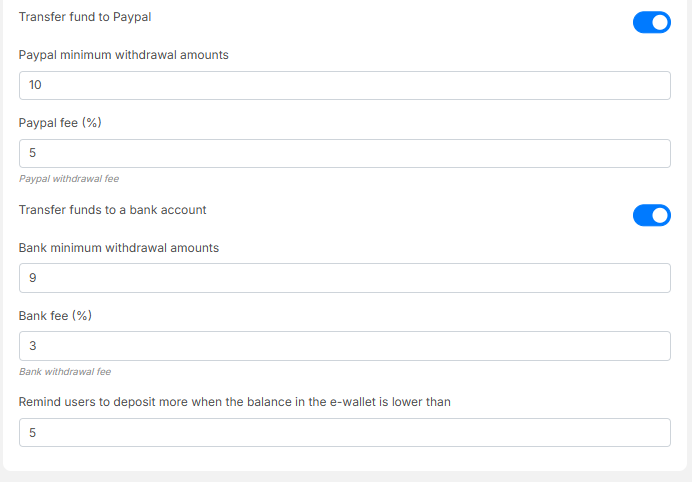
The available payment methods (PayPal or Bank Transfer) can be enabled or disabled by the administrator in Admin Panel → General Configuration.
The withdrawal amount will be deducted immediately after the Submit Request button is clicked.
The minimum withdrawal amount (10 USD) and the transfer fee (5%) can be configured by the administrator in Admin Panel → General Configuration > eWallet
Admin will get a notification about the request and then can take further action at admin panel -> Funds transfer requests
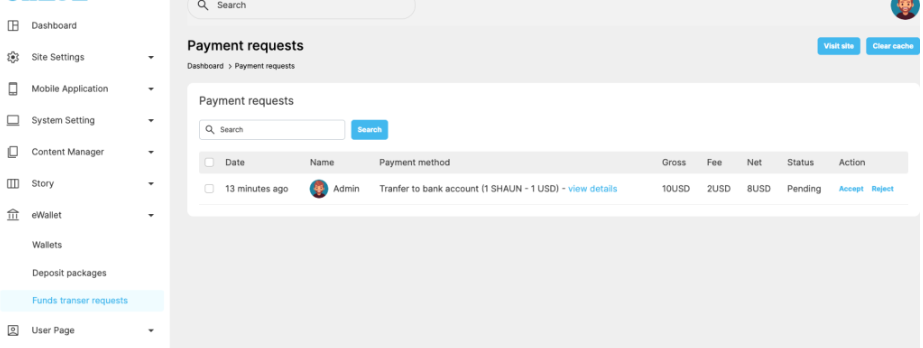
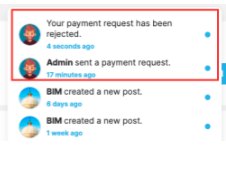
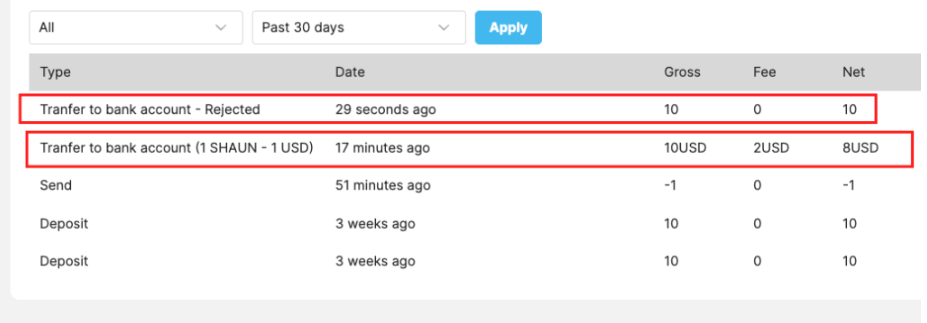
If admin “Reject” the request -> the request amount will send back to user’s eWallet and notification also send to user.
If admin “Accept” the request, notification will also send to requester and status of the request will change to “Sent”. As admin, please make sure you manually send fund to the correct provide info before mark the request as accepted.