
Table of Contents
Navigation Path: Dashboard > Fantasy Engine > Sports > Manage Leagues > Manage Scoring Categories
Create a Scoring Category #
Navigation Path: Dashboard > Fantasy Engine > Sports > Manage Leagues > Manage Scoring Categories >Create New
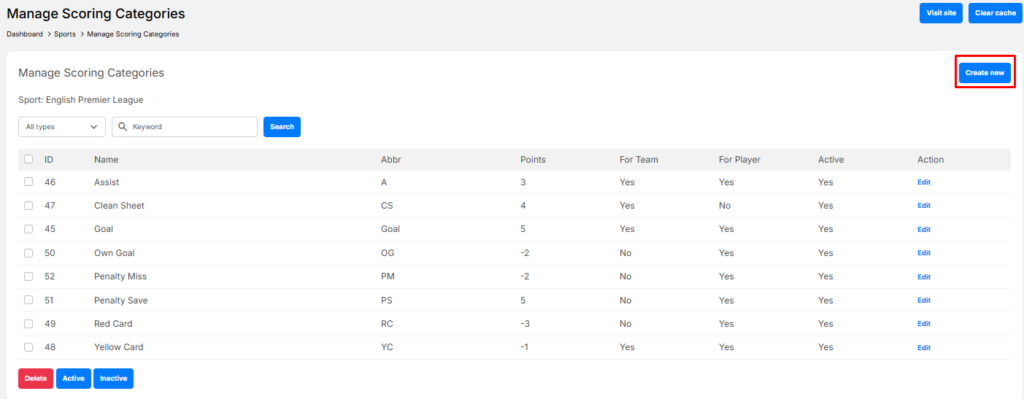
Scoring Category Fields #
Fill in the following information:
- Name
The name of the scoring category. (Example: Goals, Assists, Clean Sheet) - Abbreviation
A short code for the scoring category. (Example: G, A, CS) - Points
The number of points awarded.- Can be a positive or negative value (Example: Goal = 5, Yellow Card = -1)
- For Player
Enable if this scoring category applies to individual players. - For Team
Enable if this scoring category applies to the whole team. - Active
Enable to make the scoring category available for contests.
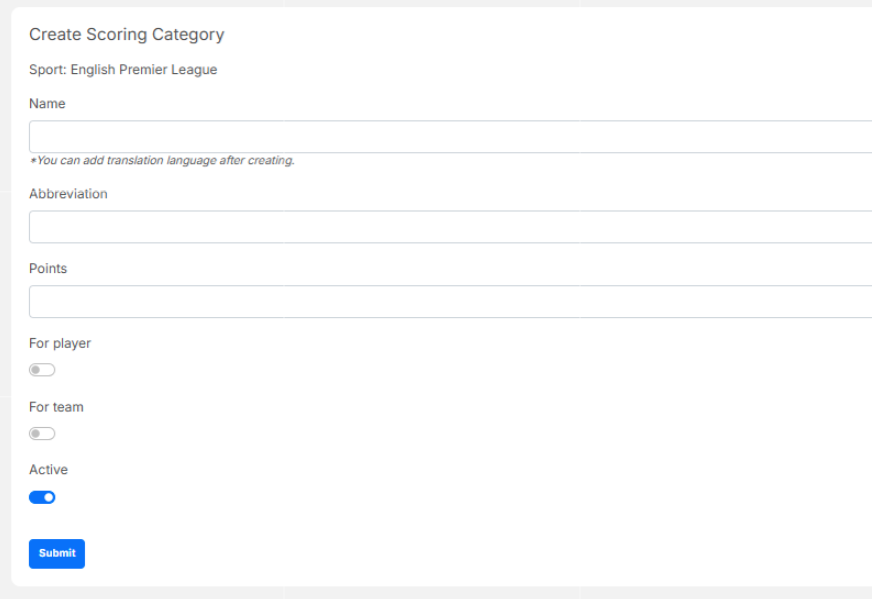
✅ The scoring category will appear in the Manage Scoring Categories list.
Edit a Scoring Category #
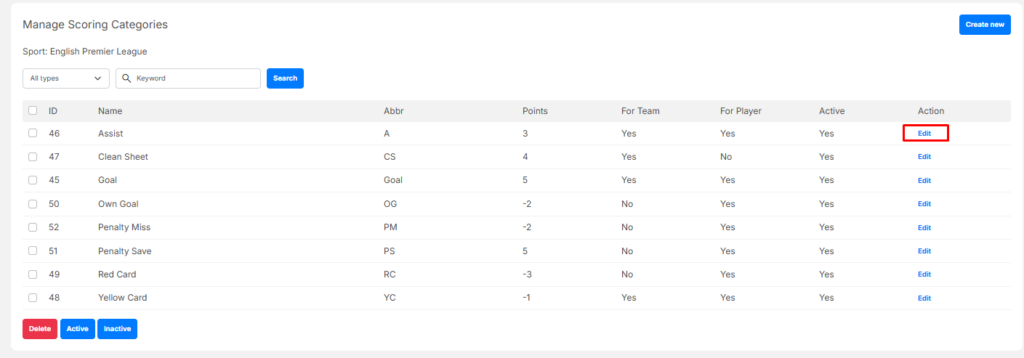
- Go to Manage Scoring Categories
- Find the scoring category in the list
- Click Edit in the Action column
- Update the required fields:
- Name
- Abbreviation
- Points
- For Player / For Team
- Active status
- Click Submit to save changes
✅ Changes will apply to all future events and contests.
Delete a Scoring Category #
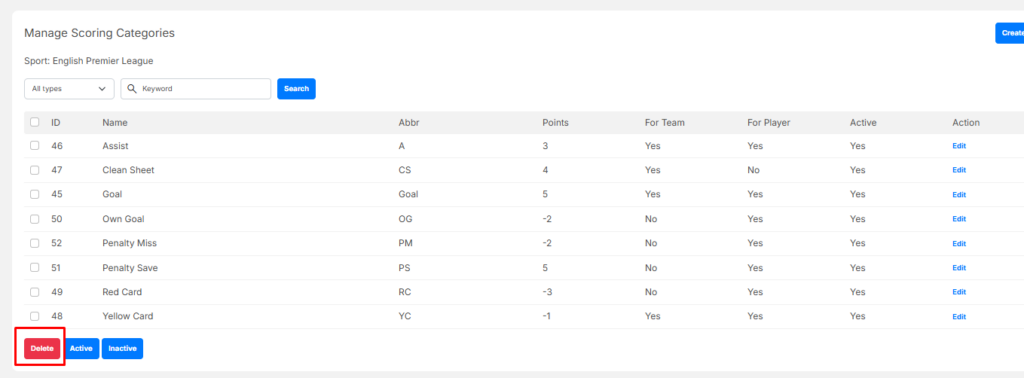
- Go to Manage Scoring Categories
- Select one or more categories using the checkboxes
- Click Delete
- Confirm the deletion
⚠️ Warning: Deleting a scoring category may affect scoring rules. It is recommended to in-activate categories instead of deleting them when possible.


