
Table of Contents
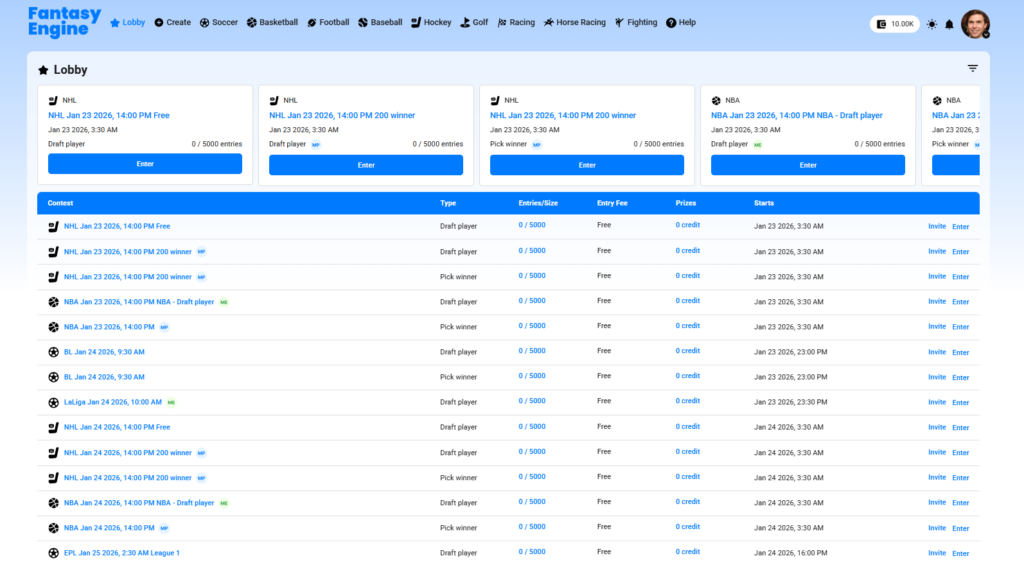
The Lobby is the central place where users can browse all available contests and quickly join the games they want to play. It provides a clear overview of upcoming contests across different sports and leagues.
Key Features of the Lobby #
📌 Featured Contests (Top Section) #
At the top of the Lobby, Featured Contests are displayed as cards for quick access. Each card shows:
- Sport and league
- Event date and start time
- Game type (Draft Player or Pick Winner)
- Current entries vs. maximum size
- Enter button to join instantly

📋 Contest List (Table View) #
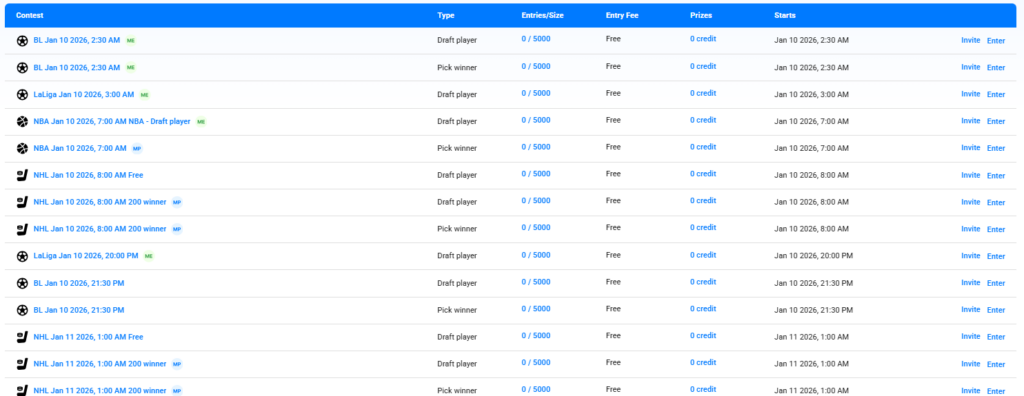
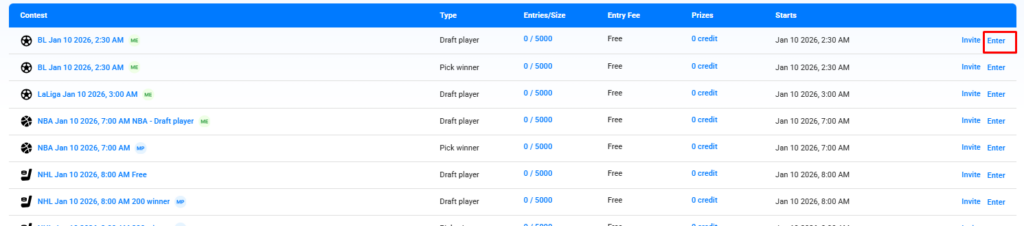
Below the cards, contests are listed in a detailed table that includes:
- Contest name
- Game type
- Entries / size
- Entry fee
- Prize information
- Start time
- Action buttons:
- Invite – invite friends to join the contest
- Enter – join the contest
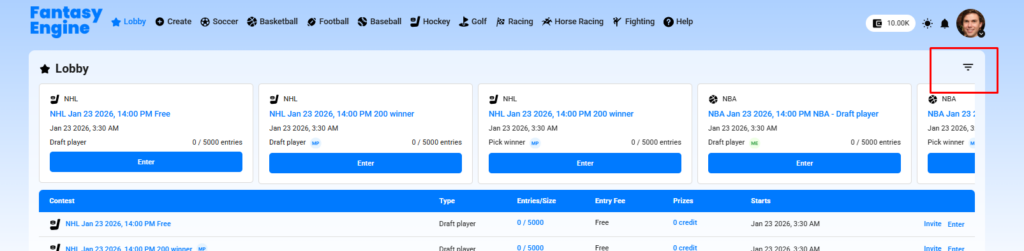
Filter Contests #
The Filter Contests feature helps you quickly find contests that match your preferences by applying specific criteria.
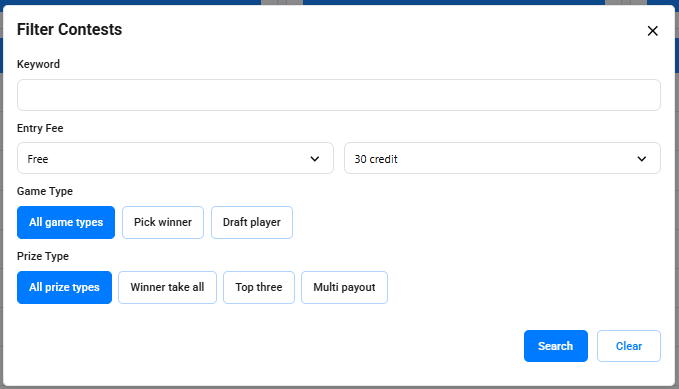
Filter Options #
🔍 Keyword #
- Enter a keyword to search contests by name or event.
💰 Entry Fee #
- Select a minimum and maximum entry fee range (e.g. Free to 30 credits).
🎮 Game Type #
- Choose the game type:
- All game types
- Pick Winner
- Draft Player
🏆 Prize Type #
- Filter contests by prize structure:
- All prize types
- Winner take all
- Top three
- Multi payout
Apply or Reset Filters #
- Click Search to apply the selected filters and view matching contests.
- Click Clear to reset all filters and show all available contests.
Joining a Contest #
- Click Enter to join a contest.
- If the contest requires an entry fee, make sure you have enough balance in your wallet.
- Some contests allow single entry only, while others allow multiple entries.
✅ The Lobby helps users discover contests easily and join games with just a few clicks.


