
To ensure security and prevent fraud, users must complete identity verification before withdrawing funds from their eWallet.
When verification is required
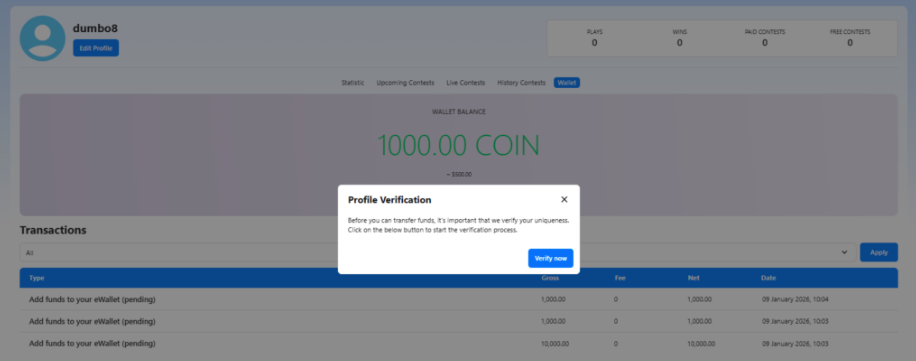
- If your account is not verified, you will be prompted to verify your identity when you attempt to withdraw funds.
- A verification popup will appear, asking you to start the verification process.
How to verify your identity
- Click Verify now when prompted during withdrawal.
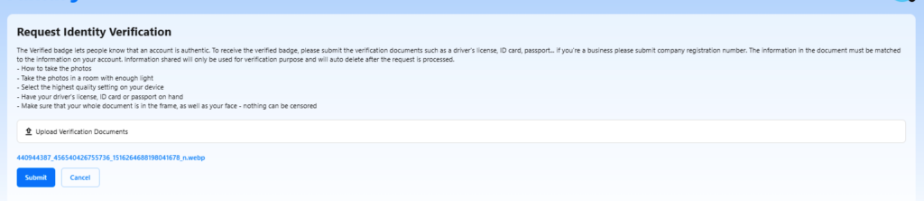
- Upload the required verification documents, such as:
- Government-issued ID (ID card, passport, or driver’s license)
- For business accounts, company registration documents
- Make sure:
- The entire document is visible and not cropped
- Images are clear, well-lit, and readable
- Your face and document details are not covered or censored
- Click Submit to send your verification request.
After submitting verification

- Your request will be reviewed by the admin.
- Once approved, your account will be marked as verified.
- You will then be able to withdraw funds normally without seeing the verification prompt again.


