
Table of Contents
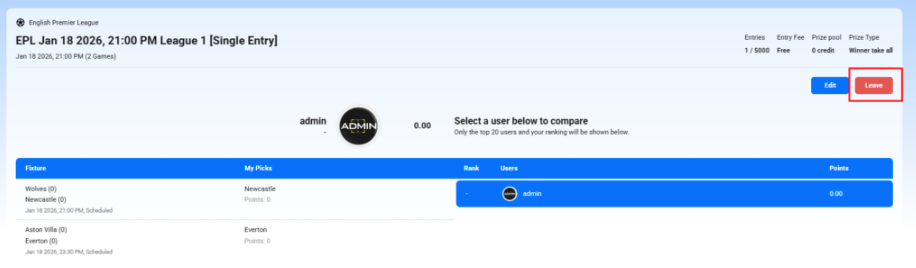
If you no longer want to participate in a contest you’ve already joined, you can leave it easily before the contest starts.
Steps to leave a contest #
- Open the contest details: Profile → Upcoming Contests
- Click the “View/Edit” button > click Leave.
- Confirm your action
Confirm when prompted. Once confirmed, you will be removed from the contest.
Important notes #
- You can only leave a contest before it starts.
- If the contest has already started or is full/locked, the Leave option may be disabled.
- For paid contests, any refund (if applicable) follows the platform’s refund rules.
- After leaving, your picks/selections will be removed and your entry count will be updated.


