
Site general configuration is a section where site owner can edit most of the settings of the site
General Settings
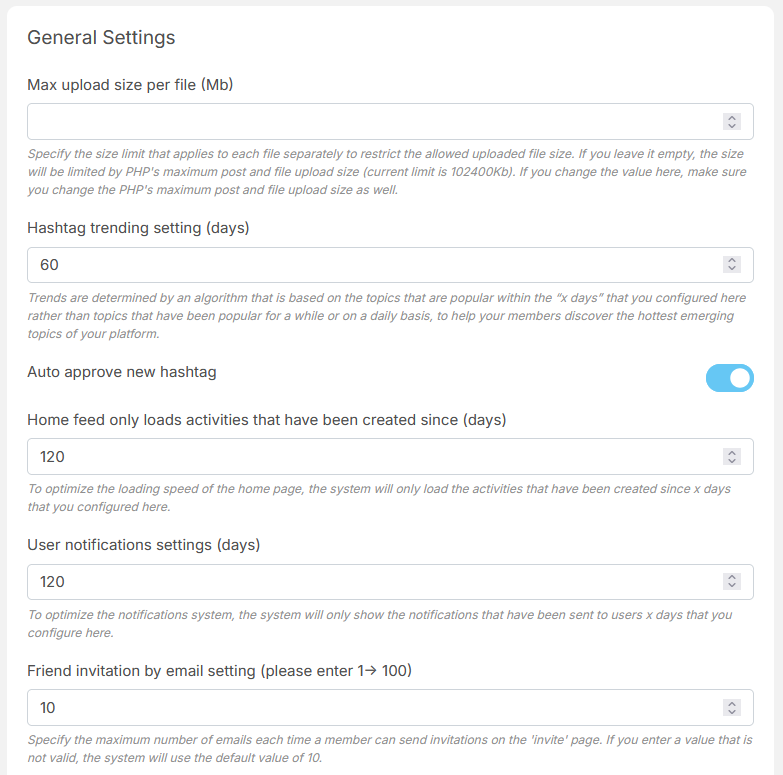
General settings is a section where site owner can edit following:
- Show only notification from specific days (To optimize the notifications system, the system will only show the notifications that have been sent to users x days that you configure here.)
- Set maximum number of friend invitation by email (How many emails that your members can type in to send invitations at the ‘Invite friend’ page.)
- Set maximum number of invitations that can be sent per day (How many invitations that your members send per day.)
- Set maximum number of friends to share (How many emails that your members can type in to share at the ‘Share post by email’ page.)
- Enable/Disable cookies
- Set cookies link
- API Secret Key (Protecting the REST API service from spam)
User Configuration
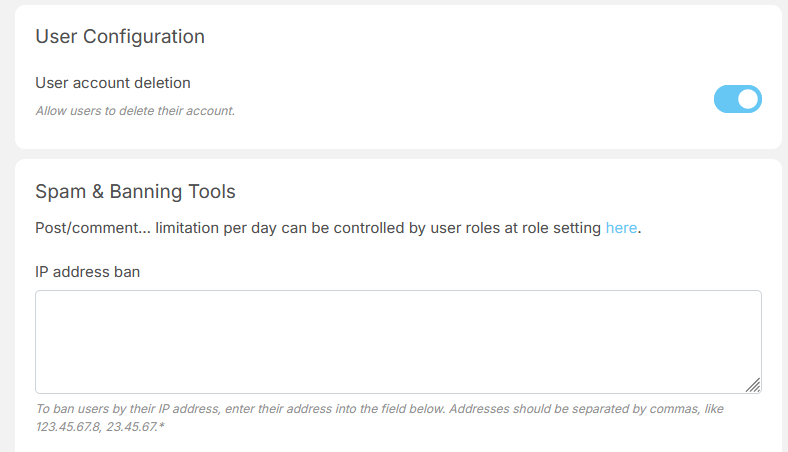
User configuration is a section where site owner can configure settings that related to user
- Allow account deletion (Allow users to delete their account.)
Login & Registration
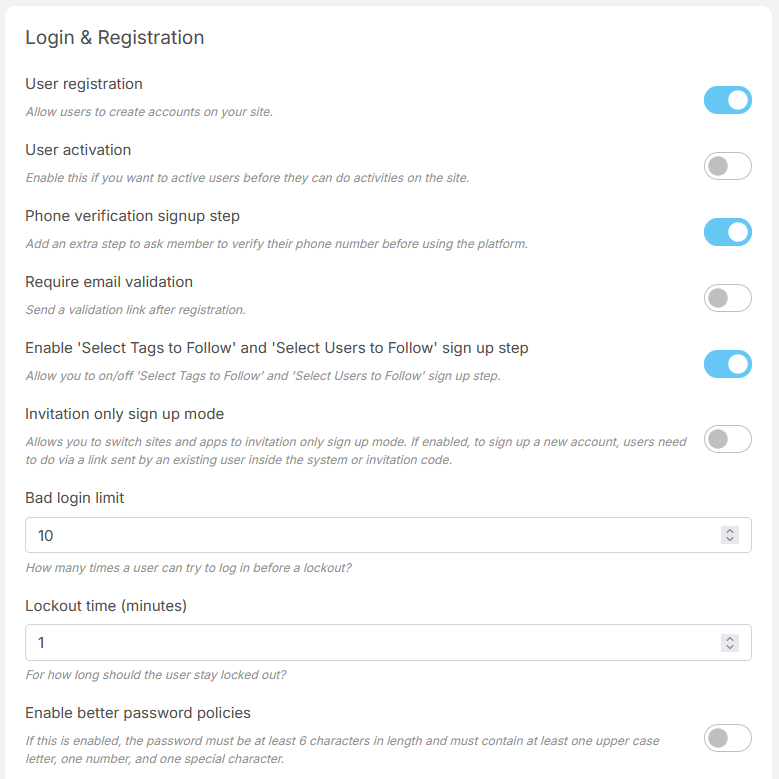
Login & Registration is a section where site owner can config settings related to login and sign up process of the site.
- Allow user to signup
- Enable/Disable user activation
- Enable/Disable phone verification signup step
- Enable/Disable require email validation (Send an validation link after registration.)
- Enable/Disable Invitation only sign up mode (If enabled, to sign up a new account, users need to do via a link sent by an existing user inside the system or invitation code)
- Bad login limit (How many time a user can try to login before a lockout?)
- Logout time (minutes) (For how long should the user stay locked out?)
- Enable/Disable better password policy
- Set minimum age restriction (If the ‘Date of birth’ field is not required or value of this setting is empty, age restriction will consider as disabled.)
- Enable/Disable required date of birth
- Enable/Disable require location
- Enable/Disable gender
- Enable/Disable Two-factor authentication (2FA)
- Set appearance mode default
Spam & Banning Tool

Spam & Banning Tool is a section where site owner can config setting for spam control of the site
- Ban user based on ip address
- Ban user based on email
- Ban user based on username
- Select captcha type: reCAPTCHA or Cloudflare Turnstile
- Set ReCaptcha Public Key for v3
- Set ReCaptchs Private key for v3
- Set Turnstile site key
- Set Turnstile secret key
- Enable/Disable reCaptcha for signup
- Enable/Disable reCaptcha for login
- Enable/Disable reCaptcha for contact form
- Enable/Disable reCaptcha for share email
- Enable/Disable reCaptcha for invite email
- Enable/Disable reCaptcha for send sms
Email Settings
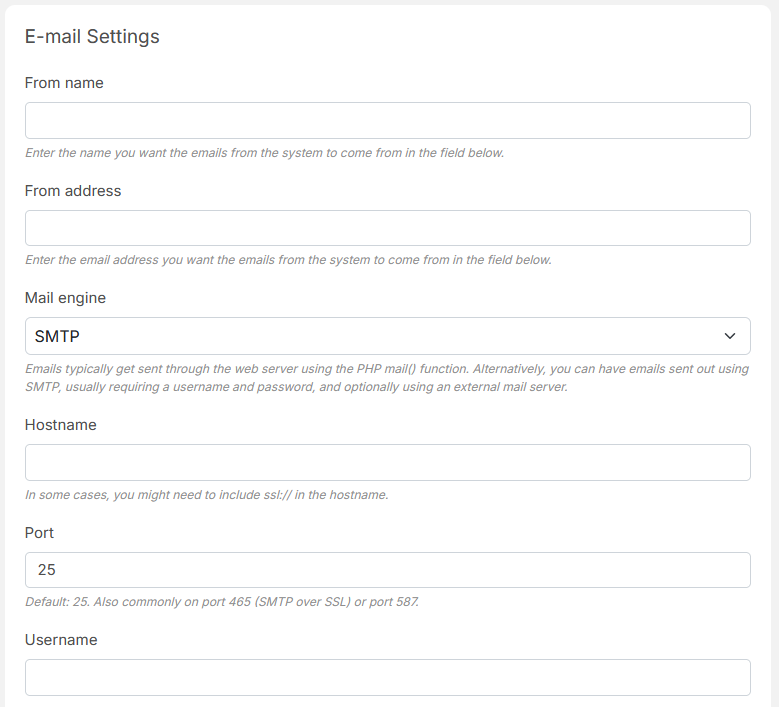
Email settings is a section where site owner can config email that is send out including:
- Set from name
- Set from address
- Set mail engine either built-in php mail or smtp server
- Set email hostname
- Set email port
- Mail server username
- Mail server password
- Set Encryption method
- Select email queue or send immediately
- Mail count (The number of emails to send out each time the Background Mailer task is run.)
- Enable/Disable email log
- Test send mail
Broadcast
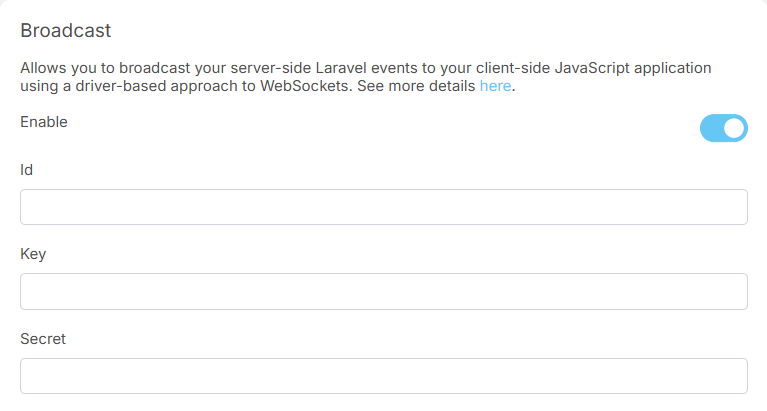
Broadcast settings is a section where site owner can config broadcast to to broadcast your server-side Laravel events to your client-side JavaScript application using a driver-based approach to WebSockets.
- Enable/Disable broadcast system
- Set id
- Set key
- Set secret
- Set cluster
- Set host
- Set port
- Set scheme
- Enable/Disable force TLS
eWallet
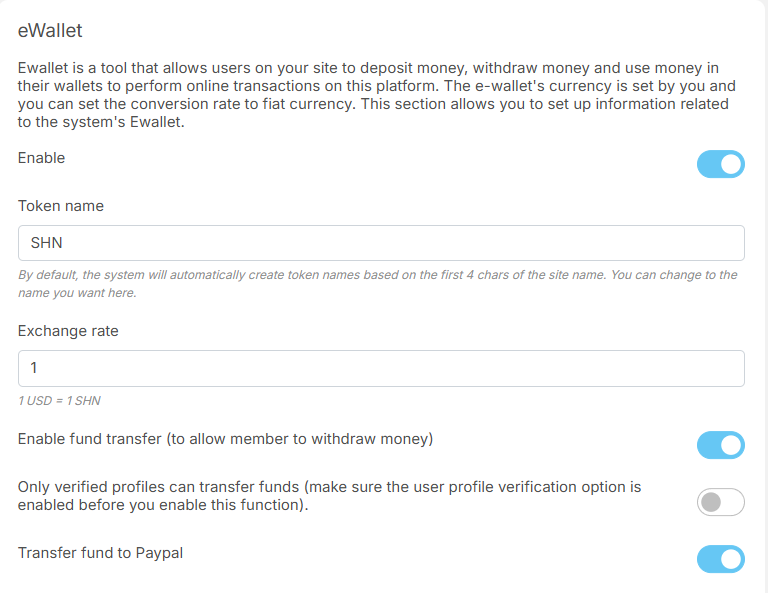
eWallet is a section where site owner can config settings related to eWallet
- Enable/Disable eWallet system
- Set token name
- Set exchange rate
- Enable/Disable fund transfer (to allow member to withdraw money)
- Enable/Disable the setting only verified profiles can transfer funds (make sure the user profile verification option is enabled before you enable this function)
- Enable/Disable transfer fund to Paypal
- Set Paypal minimum withdrawal amounts
- Set Paypal fee (%)
- Enable/Disable transfer funds to a bank account
- Set bank minimum withdrawal amounts
- Set bank fee (%)
- Set the balance amount to remind users to deposit more


