
Table of Contents
This guide explains how to join both contest types on the platform: Draft Player and Pick Winner. The flow is similar at the start, then differs at the selection step.
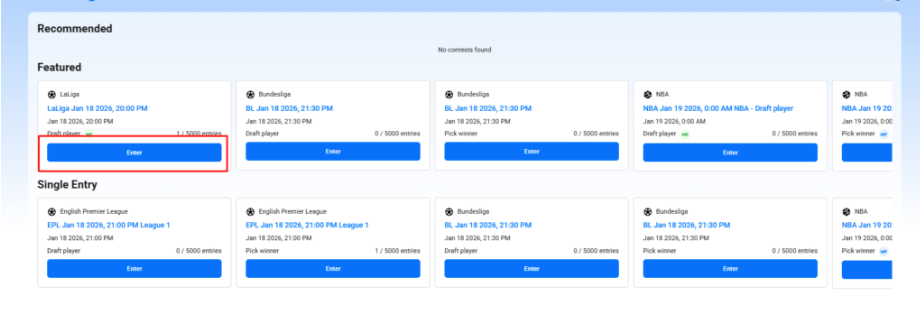
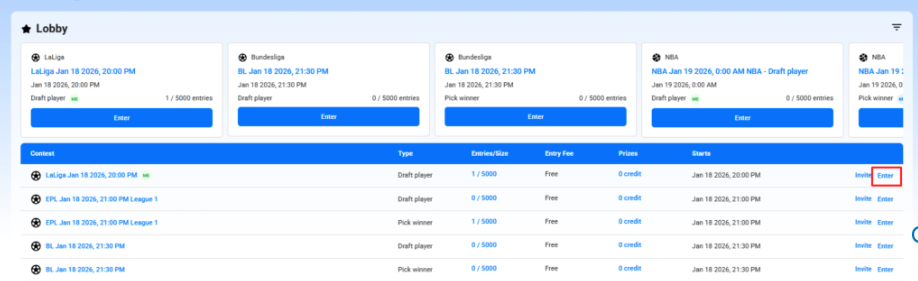
Step 1: Open the Contest #
- Go to Home Page, Lobby or Sport from the main menu.
- Browse or filter contests by sport, entry fee, game type, or prize type.
- Choose a contest you want to join.
Step 2: Enter the Contest #
- Click Enter on the selected contest.
- Review contest details: league, start time, entry fee, prize pool, and entry limit (Single / Multi-Entry).
Step 3: Make Your Selections #
A. Draft Player Contest #
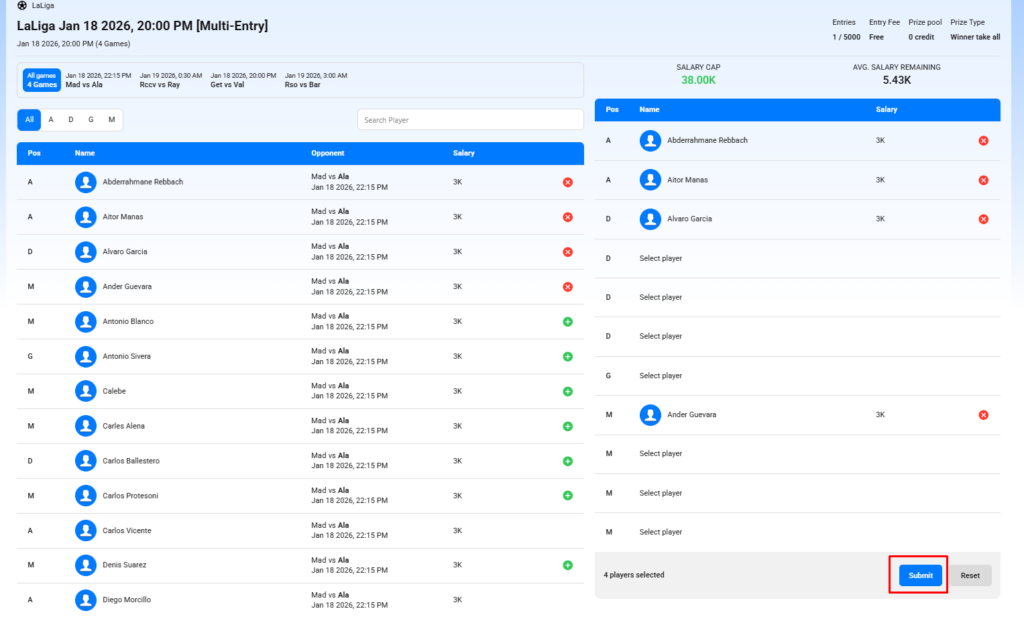
In a Draft Player contest, you build a lineup of players.
- View games & positions
- Filter players by position (A, D, M, G, etc.) or search by name.
- Add players to your lineup
- Click the ➕ (Add) icon to select a player.
- Manage salary cap
- Ensure total salary stays within the Salary Cap.
- Complete lineup
- Fill all required positions.
- Review selections
- Check the right panel for selected players.
- Submit
- Click Submit to confirm your entry.
B. Pick Winner Contest #
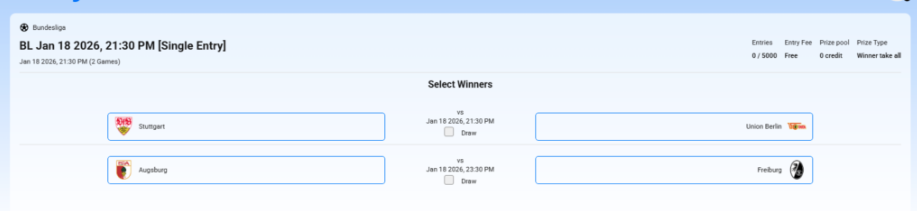
In a Pick Winner contest, you predict match outcomes.
- Select winners
- For each fixture, click the team you think will win.
- If available, you may select Draw.
- Verify selections
- All required matches must be picked.
- Submit
- Click Submit to lock in your predictions.
Step 4: Invite Friends (Optional) #
- Use Copy Link to share the contest URL.
- Or invite friends by email directly from the contest page.
Step 5: Track Your Contest #
- Upcoming Contests: View contests you’ve joined.
- Live Contests: Track scores and rankings in real time.
- History Contests: Check final results, rankings, and winnings.
Notes & Tips #
- Some contests are Single Entry (only one submission per user).
- Once the contest starts, entries are locked.
- Make sure your wallet has enough balance for paid contests.


