
Table of Contents
Player Positions are managed at the League Level.
Navigation Path: Dashboard > Fantasy Engine > Sports > Manage Leagues > Manage Player Positions
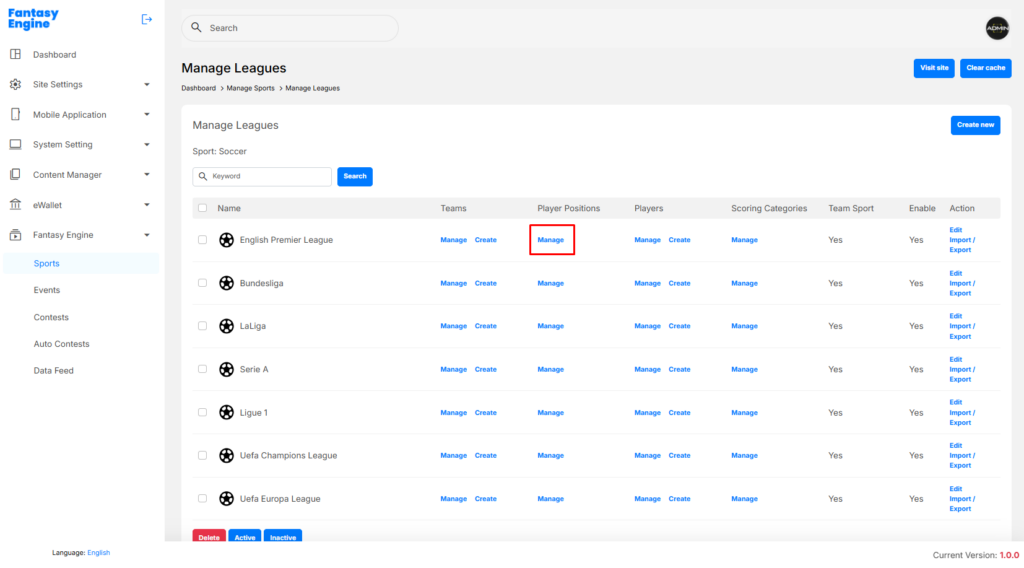
Create a Player Position #
Navigation Path: Dashboard > Fantasy Engine > Sports > Manage Player Positions > Create New
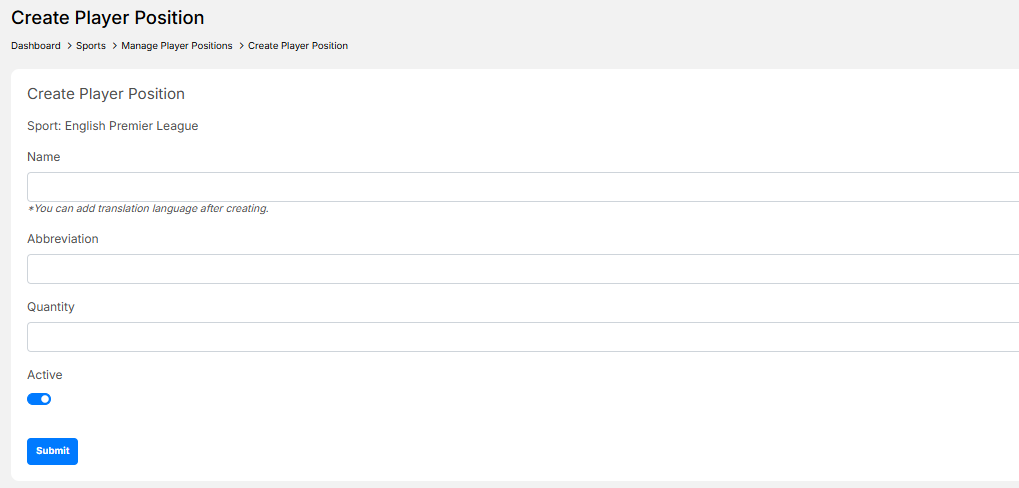
- Click Create New
- Enter the following information:
- Name: Position name (e.g. Attacker, Midfielder, Defender)
- Abbreviation: Short position code (e.g. A, M, D)
- Quantity: Number of players allowed for this position in a lineup
- Active: Enable to make the position available
- Click Submit
✅ The position will appear in the Manage Player Positions list.
Edit a Player Position #
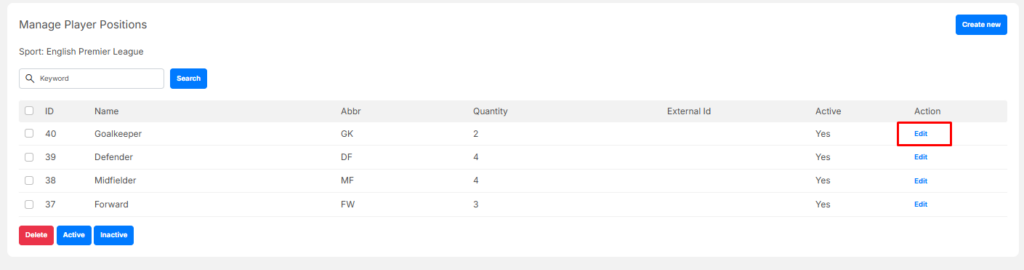
- Go to Manage Player Positions
- Locate the position in the list
- Click Edit in the Action column
- Update the required fields:
- Name
- Abbreviation
- Quantity
- Active status
- Click Submit to save changes
Activate / Deactivate a Player Position #
- Go to Manage Player Positions
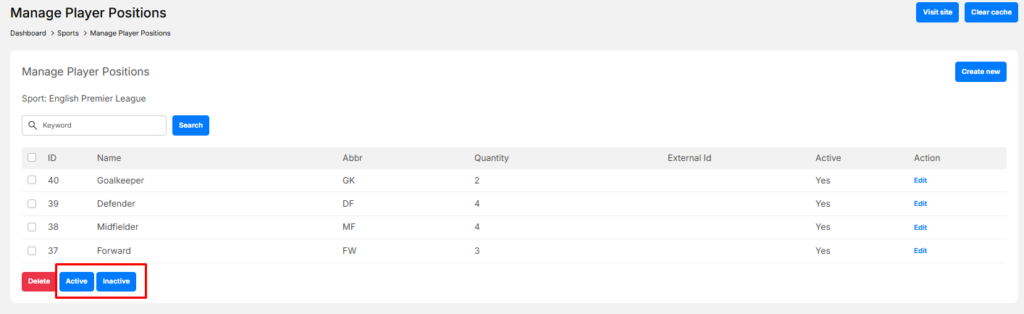
- Select one or more positions
- Click:
- Active – to enable selected positions
- Inactive – to disable selected positions
Delete a Player Position #
- Go to Manage Player Positions
- Select one or more positions using the checkboxes
- Click Delete
- Confirm the deletion
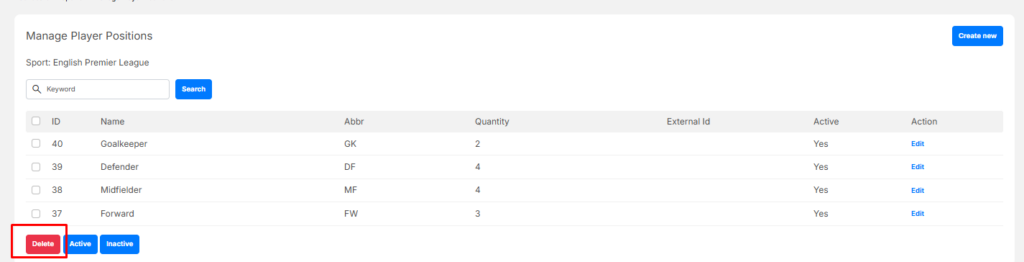
⚠️ Warning: Deleting a player position may affect lineup rules. It is recommended to deactivate positions instead of deleting them when possible.


